
How to Use Ahrefs for Keyword Research: Tips and Tricks
If you are serious about driving organic traffic to your website, you already know that guessing what your audience is searching for is a recipe for wasted time and resources. While a free keyword planner can give you a basic starting point, truly scaling your traffic requires professional seo tools that provide deep, actionable data.
Welcome to the ultimate guide on How to Use Ahrefs for Keyword Research: Tips and Tricks.
Ahrefs has evolved into an absolute powerhouse in the SEO industry, boasting one of the largest third-party search query databases in the world. But having access to billions of keywords is only half the battle; knowing exactly how to filter, analyze, and map those keywords to your content strategy is what separates the novices from the experts.
Whether you are trying to break into a highly competitive niche or you want to find hidden, untapped topics, ahrefs keyword research provides the precise metrics you need to make data-driven decisions. In this comprehensive, 3000-word guide, we are going to dive deep into the specific workflows, hidden features, and advanced strategies you can use to dominate the search engine results pages (SERPs).
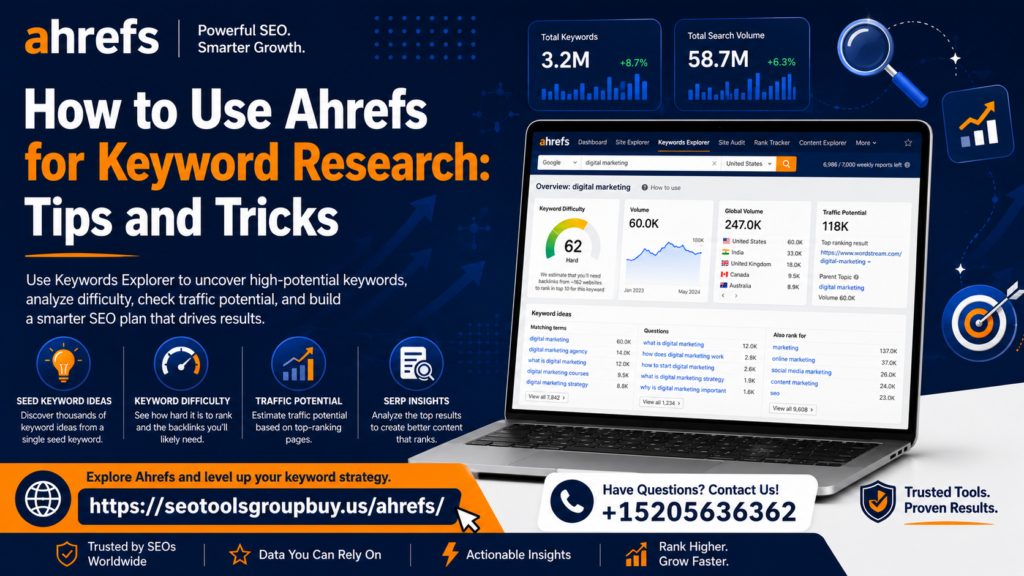
Grab a cup of coffee, open up your ahrefs group buy dashboard, and let’s get started.
The Foundation: Keywords Explorer and Core Metrics
Before we start applying advanced filters and hacking competitor data, we need to establish a strong understanding of the metrics Ahrefs provides. Keywords Explorer is the heart of Ahrefs’ keyword research functionality. When you drop a seed keyword into this tool, you are met with a dashboard full of numbers. But what do they actually mean for your strategy?
Understanding Ahrefs Keyword Difficulty Score (KD)
One of the most heavily relied-upon metrics is Keyword Difficulty (KD). Ranging from 0 to 100, this metric is Ahrefs’ estimation of how hard it will be to rank in the top 10 search results for a given query.
However, understanding ahrefs keyword difficulty score requires looking under the hood. Unlike some other tools that use a complex, hidden algorithm blending on-page optimization, content length, and domain authority, Ahrefs calculates KD based on one primary factor: the number of referring domains (backlinks) pointing to the top 10 ranking pages.
- KD 0-10: Easy. You might only need a few backlinks, or even zero, if your content is exceptional.
- KD 11-30: Medium. You will need some targeted link-building to compete.
- KD 31-70: Hard. Expect to need a significant number of high-quality referring domains.
- KD 71-100: Super Hard. Dominated by massive brands with incredibly strong link profiles.
Pro Tip: Never rely on KD alone. A keyword with a KD of 5 might look easy, but if the top 10 results are entirely occupied by mega-brands like Amazon, Wikipedia, and government sites, search intent and brand authority will block you from ranking. Always manually inspect the SERP overview at the bottom of the Keywords Explorer page.
Ahrefs Clicks vs Search Volume Metrics
A common trap for beginners is chasing keywords with massive Search Volume (SV) without looking at the actual click-through behavior. Search volume tells you how many times a query is typed into Google per month, but it does not tell you how many people actually clicked on a result.
This is where analyzing ahrefs clicks vs search volume metrics becomes crucial.
Imagine you are researching the keyword “what time is the Super Bowl.” It might have a search volume of 500,000. However, Google provides an instant answer box at the top of the SERP. Users get their answer without ever clicking on a website. Therefore, the “Clicks” metric in Ahrefs might only be 20,000.
If you are optimizing for a keyword, always check the Clicks metric and the “CPS” (Clicks Per Search) ratio. A keyword with 2,000 SV and 1,800 clicks is vastly superior to a keyword with 10,000 SV and only 500 clicks.

Mastering the Filters: Finding the Hidden Gems
When you type a broad seed keyword like “coffee maker” into Keywords Explorer, Ahrefs will return millions of keyword ideas. Sorting through these manually is impossible. The real magic happens when you know how to manipulate the filters.
Ahrefs Keywords Explorer Filters for Beginners
If you are just starting out, the sheer volume of data can be overwhelming. Here is a quick breakdown of the essential ahrefs keywords explorer filters for beginners:
- KD (Keyword Difficulty): Set a maximum limit based on your website’s current authority. If you have a new site, set the Max KD to 10 or 15.
- Volume: Set a minimum threshold to ensure the keyword is actually being searched. A minimum volume of 100 to 250 is a good starting point for niche sites.
- Word Count: If you want to find longer, more specific queries, set the minimum word count to 4 or 5.
- Include/Exclude: Use this to require certain modifiers (like “best,” “review,” “how to”) or exclude irrelevant terms (like “free,” “craigslist,” or competitors’ brand names).
Finding Low Competition Keywords with High Traffic
The holy grail of SEO is finding low competition keywords with high traffic. While these are getting harder to find, Ahrefs makes it possible if you know the right filtering combination.
Here is a foolproof workflow to uncover these opportunities:
- Enter a broad seed keyword related to your niche (e.g., “skincare”).
- Go to the “Matching terms” report.
- Set the KD filter to a maximum of 15.
- Set the Volume filter to a minimum of 500.
- Set the Lowest DR (Domain Rating) filter in the top 5 to a maximum of 30. (This is a somewhat hidden filter under the “More filters” tab).
By adding that last rule (Lowest DR in top 5), you are telling Ahrefs: “Only show me keywords where at least one website with a low Domain Rating is currently ranking in the top 5.” This proves that you do not need massive domain authority to rank for that specific term, making it a true low-competition, high-traffic opportunity.
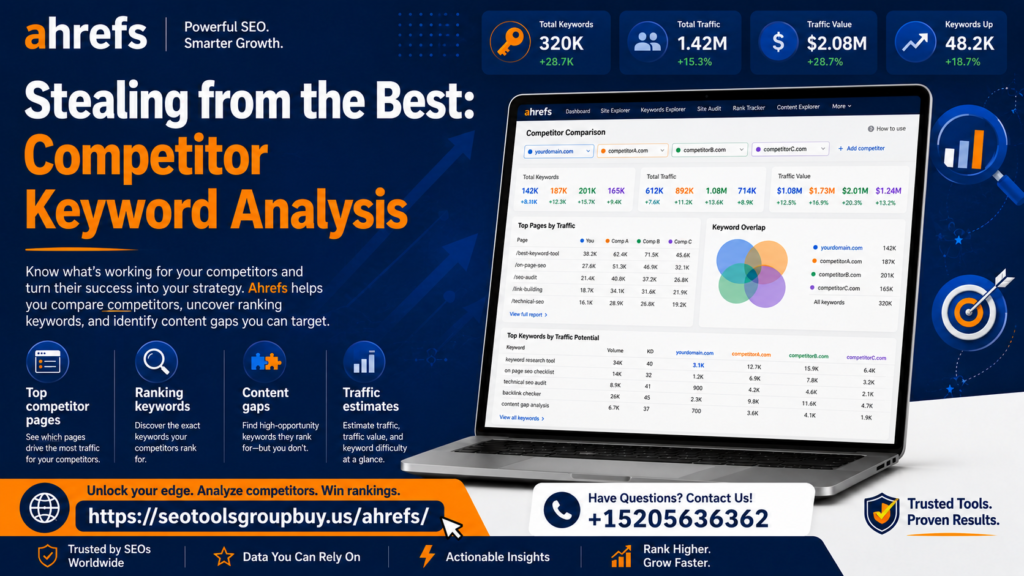
Stealing from the Best: Competitor Keyword Analysis
Why start from scratch when your competitors have already done the hard work for you? Your competitors’ ranking pages are a goldmine of proven, traffic-driving keywords.
How to Find Competitor Keywords in Ahrefs
Learning how to find competitor keywords in ahrefs is arguably the most profitable skill you can develop in SEO. Instead of using Keywords Explorer, we will use the Site Explorer tool for this strategy.
Take the URL of a competitor who is slightly larger than you—someone doing well, but not an unbeatable industry giant like Forbes or Wikipedia.
- Drop their domain into Site Explorer.
- Navigate to the Organic Keywords report on the left sidebar.
- You will now see every single keyword that competitor ranks for.
Extracting Organic Keywords from Site Explorer
To make this list actionable, you need to filter the noise. Simply extracting organic keywords from site explorer isn’t enough; you must extract the right ones.
Apply these filters to your competitor’s organic keyword list:
- Position: 1 to 10. (You only want to see keywords driving real traffic).
- KD: Max 20. (Filter out the high-difficulty keywords they rank for due to their age/authority).
- Volume: Min 100.
Export this list to a CSV. You now have a custom-curated list of low-difficulty, proven keywords that are actively driving traffic to a site in your exact niche.
Ahrefs Content Gap Analysis Tutorial
Taking competitor research a step further, cheap Ahrefs tools group buy offers a dedicated “Content Gap” tool. This tool compares your website’s keyword profile against multiple competitors simultaneously to find keywords they rank for, but you don’t.
Here is a step-by-step ahrefs content gap analysis tutorial:
- Enter your own domain into Site Explorer.
- Click on Content Gap in the left-hand menu.
- In the top section (“Show keywords that the below targets rank for”), enter the domains of 3 to 5 of your direct competitors.
- In the bottom section (“But the following target doesn’t rank for”), your domain should already be populated.
- Check the box that says “At least 2 of the targets rank in top 10”. (This ensures the keyword is highly relevant to your niche, as multiple competitors are targeting it).
- Click Show keywords.
The resulting list is your immediate roadmap. These are topics your target audience is searching for, your competitors are benefiting from, and you are completely missing out on. Prioritize these keywords in your upcoming content calendar.
Discovering Niche and Informational Opportunities
Broad, transactional keywords are great, but they are often hyper-competitive. To build topical authority and capture users at the beginning of their buying journey, you need to dig into the long-tail and informational queries.
Uncovering Long-Tail Keyword Opportunities
Long-tail keywords are highly specific search phrases that usually consist of three or more words. While their individual search volume is lower, their conversion rates are typically much higher because user intent is incredibly focused.
For uncovering long-tail keyword opportunities, use the “Matching terms” report in Keywords Explorer and adjust the “Word count” filter to a minimum of 4 or 5.
For example, instead of trying to rank for “running shoes” (KD 85), setting a word count filter will reveal phrases like “best cushioned running shoes for bad knees” (KD 12). The traffic you get from this long-tail variation is highly targeted. If you recommend a specific pair of shoes in your article, the likelihood of an affiliate click or sale is massive compared to a generic search.
How to Find Question Based Keywords in Ahrefs
Search engines are increasingly becoming answer engines. People use Google to ask highly specific questions. Creating content that directly answers these questions is a fantastic way to earn Featured Snippets and build trust with your audience.
Here is how to find question based keywords in ahrefs:
- Enter your seed keyword (e.g., “solar panels”) into Keywords Explorer.
- Click on the Questions tab on the left-hand side.
- Ahrefs will automatically filter the database to only show queries containing words like who, what, where, when, why, how, is, can, do, etc.
You can use these question-based keywords to formulate H2 and H3 subheadings within your main articles, or build out an extensive FAQ section on your product pages. Answering these queries clearly and concisely makes your content incredibly helpful, which is exactly what search algorithms are designed to reward.
Decoding the SERPs: Intent and Traffic Potential
Having a list of keywords is just data. Transforming that data into an SEO strategy requires understanding why people are searching and what Google thinks they want to see.
Identifying Search Intent with Ahrefs Data
Search intent is the primary goal a user has when typing a query into a search engine. If you misjudge intent, you will not rank, regardless of how great your content is or how many backlinks you build.
There are four main types of search intent:
- Informational: The user wants to learn something (“how to bleed brakes”).
- Navigational: The user is looking for a specific website (“Ford owner portal login”).
- Commercial Investigation: The user is researching before a purchase (“Ford F-150 vs Chevy Silverado”).
- Transactional: The user is ready to buy (“buy Ford F-150 parts online”).
Identifying search intent with ahrefs data is done by analyzing the “SERP overview” at the bottom of the Keywords Explorer page. Before writing a word of content, look at the titles of the top 10 ranking pages.
- Are they all blog posts and ultimate guides? The intent is Informational.
- Are they all e-commerce product pages? The intent is Transactional.
- Are they all listicles and reviews? The intent is Commercial.
If you try to rank a product page for an informational keyword, Google will ignore it. Always match your content format to the dominant intent shown in the Ahrefs SERP overview.
Analyzing SERP Features for Keyword Optimization
Modern search results are no longer just 10 blue links. They are filled with Featured Snippets, “People Also Ask” boxes, Video Carousels, Local Packs, and Image Packs.
Analyzing serp features for keyword optimization helps you tailor your content format. In Ahrefs Keywords Explorer, look at the “SERP features” column.
- If a keyword triggers a Video Carousel, it might be better to film a YouTube video than to write a 2,000-word blog post.
- If a keyword triggers an Image Pack, ensure your article has high-quality, descriptive, alt-tagged original images.
- If there is a Featured Snippet, format your content with a clear, concise summary paragraph at the top of the page, or use bulleted lists that Google can easily scrape and display.
Calculating Potential Traffic for New Keywords
One of the most revolutionary metrics introduced by Ahrefs in recent years is “Traffic Potential” (TP).
Historically, SEOs would look at a keyword’s Search Volume and assume they could capture maybe 30% of that volume if they ranked #1. However, pages rarely rank for just one keyword. A well-written article can rank for hundreds, sometimes thousands, of related long-tail variations.
Calculating potential traffic for new keywords using ahrefs kaufen completely changes how you prioritize topics. The Traffic Potential metric does not look at the search volume of your seed keyword; instead, it looks at the current #1 ranking page for that keyword and calculates the total organic traffic that page receives from all the keywords it ranks for.
For instance, the keyword “how to write a cover letter” might have a search volume of 50,000. But the top-ranking page might be pulling in 120,000 visitors a month because it also ranks for “cover letter examples,” “writing a cover letter,” and “cover letter tips.”
Always prioritize keywords with high Traffic Potential, even if the primary Search Volume looks modest.
Structuring Your Strategy: Grouping and Mapping
Once you have identified hundreds of valuable keywords, you need to organize them. Throwing keywords randomly onto a website results in keyword cannibalization (where your own pages compete against each other) and a messy site architecture.
Grouping Keywords Using Ahrefs Parent Topic
When you have a massive list of long-tail variations, you shouldn’t write a separate article for every single one. Google prefers comprehensive, authoritative pages that cover a topic in its entirety.
This is where grouping keywords using ahrefs parent topic becomes essential.
In Keywords Explorer, Ahrefs assigns a “Parent Topic” to every keyword. It determines this by looking at the #1 ranking page for your keyword and identifying the query that sends the most traffic to that specific page.
For example, you might find the keywords:
- “how to clean a cast iron skillet”
- “cleaning cast iron pan”
- “best way to wash cast iron”
- “can you use soap on cast iron”
If you look at the Ahrefs data, you will likely see that they all share the same Parent Topic: “how to clean cast iron.”
This tells you exactly how to structure your content. You should write one master article targeting the Parent Topic (“How to Clean Cast Iron”), and naturally use the other variations as H2s, H3s, or within the body text. This consolidation prevents cannibalization and creates a stronger, more authoritative piece of content.
Building a Keyword Map with Ahrefs
The final step in your research process is translating your grouped keywords into an actionable content plan. Building a keyword map with ahrefs involves taking your exported data and organizing it into a spreadsheet that dictates your website’s architecture.
A robust keyword map should include:
- Target URL / Silo: Where will this page live on your site? (e.g., /blog/espresso-machines/)
- Primary Keyword / Parent Topic: The main focus of the page.
- Secondary Keywords: The long-tail variations and questions to include.
- Search Intent: The format the content must take (Guide, Review, Product Page).
- Traffic Potential: To help prioritize what to write first.
- Current KD: To know how much link-building effort will be required.
By exporting your filtered lists from Keywords Explorer and Site Explorer, you can create a 6-to-12-month content calendar that is entirely backed by hard data. You move from “guessing what to write” to executing a strategic roadmap designed to capture maximum market share.
A Quick Industry Perspective: Ahrefs vs Semrush
No guide to professional SEO tools is complete without addressing the elephant in the room. When choosing a platform, the debate often comes down to ahrefs vs semrush keyword research features.
Both tools are phenomenal, but they have different strengths:
- Ahrefs is widely praised for its backlink index, the accuracy of its Keyword Difficulty metric (which is purely link-based and easier to reverse-engineer), and the highly intuitive UI of its Keywords Explorer. The addition of the “Traffic Potential” metric gives Ahrefs a significant edge in content planning.
- Semrush, on the other hand, often provides more granular data regarding PPC (Pay-Per-Click) advertising, social media scheduling, and complex site auditing. Its Keyword Magic Tool is excellent, and it provides a very distinct “Search Intent” label directly in the dashboard.
Ultimately, for purely organic content-driven keyword research and link analysis, many SEO specialists lean toward Ahrefs due to its straightforward metrics and unparalleled SERP analysis features.
Conclusion: Turning Data into Dominance
Keyword research is no longer just about finding high-volume, low-competition phrases. As search engines become more sophisticated, your strategy must evolve.
By mastering the techniques outlined in this guide—from understanding ahrefs keyword difficulty score and leveraging the power of ahrefs clicks vs search volume metrics, to conducting a thorough ahrefs content gap analysis tutorial and accurately identifying search intent with ahrefs data—you equip yourself with a massive competitive advantage.
Remember, the goal of using Ahrefs is not just to collect data; it is to uncover the human questions, problems, and desires that drive search behavior. Use the filters to clear the noise, study the SERPs to understand the intent, group your topics intelligently, and build a keyword map that guides your content creation.
Stop guessing. Start analyzing. Put these Ahrefs tips and tricks into practice today, and watch your organic traffic scale to new heights.